SMS Opt-In Process
Last updated October 24, 2026
Tosk Hair (HHT LLC) collects consent to send text messages only through an explicit, optional checkbox on its public online booking page. The checkbox is unchecked by default and is ticked only by the client. Booking completes normally whether or not it is ticked: giving a phone number, or confirming a booking, is not consent to receive texts.
Phone numbers entered by salon staff — for example when adding a client or an appointment in the salon’s dashboard — are never enrolled in text messaging.
The messages are transactional only: confirmations, reminders and changes for an appointment the client booked.
The exact disclosure text
Shown beside the checkbox on the details step (screenshots 4 and 5). The salon’s name appears as the sender; on this salon’s page it is Tosk Hair.
The booking flow, step by step
Screenshots of the public booking page at /book/tosk-hair, in order. The checkbox appears on step 4 only, which a reviewer cannot reach without choosing a service, stylist and time first.
1. Step 1 — Choose a serviceThe first screen of the booking page. The SMS disclosure is shown in the footer, stating that texts are optional and are opted into on the details step. No consent is collected here. 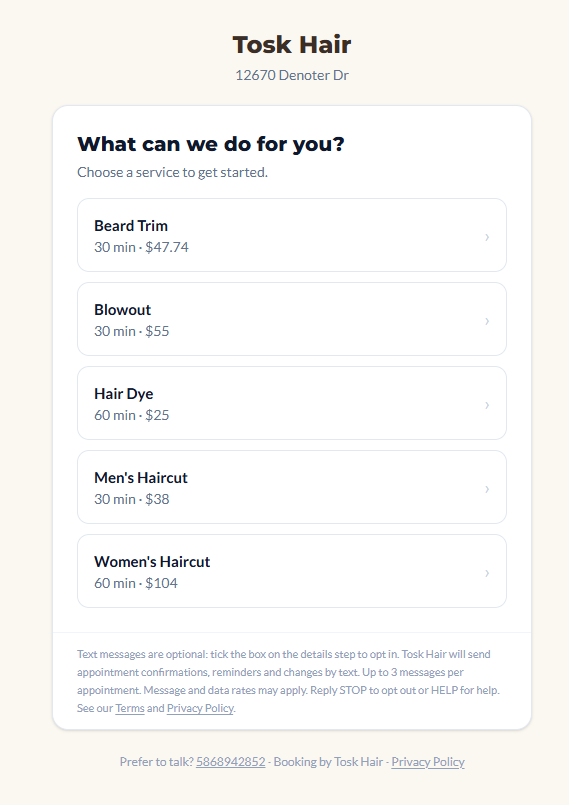
2. Step 2 — Choose a stylistNo phone number or consent is collected on this step. 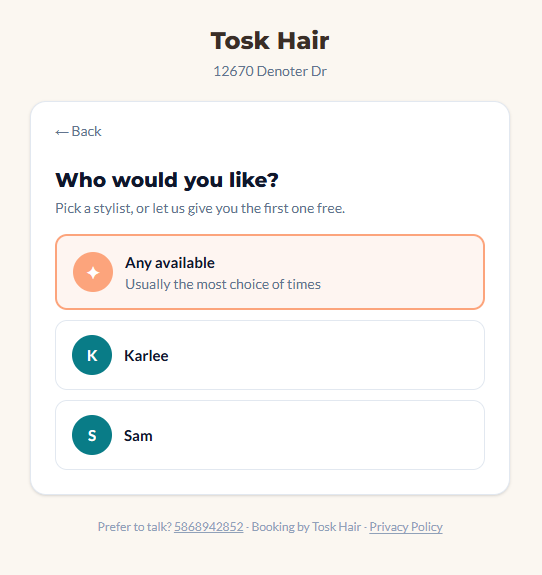
3. Step 3 — Choose a date and timeNo phone number or consent is collected on this step. 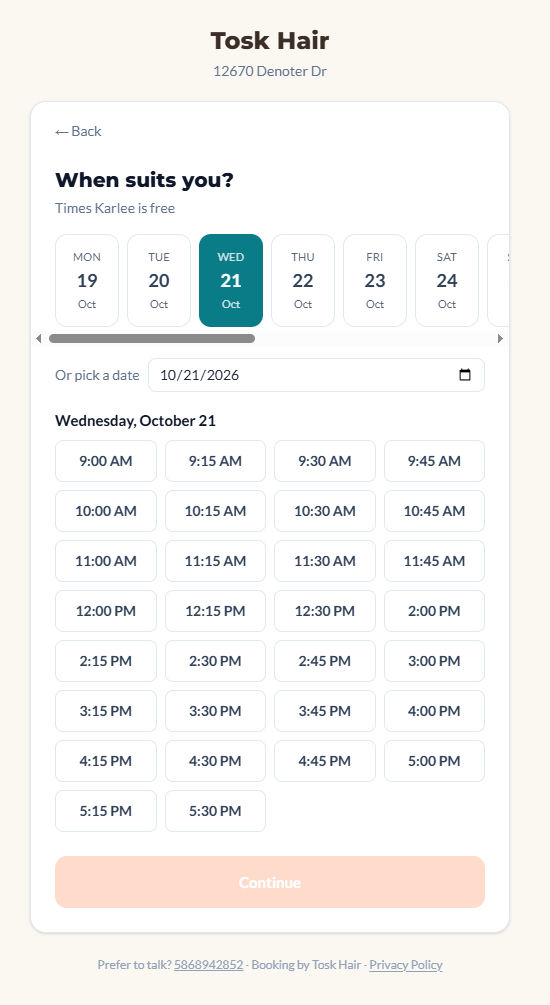
4. Step 4 — Your details, as first shownThe SMS consent checkbox is unchecked by default. It sits directly below the mobile number field, separate from it, with the full disclosure and links to the Terms and Privacy Policy beside it. Entering a phone number does not tick it. 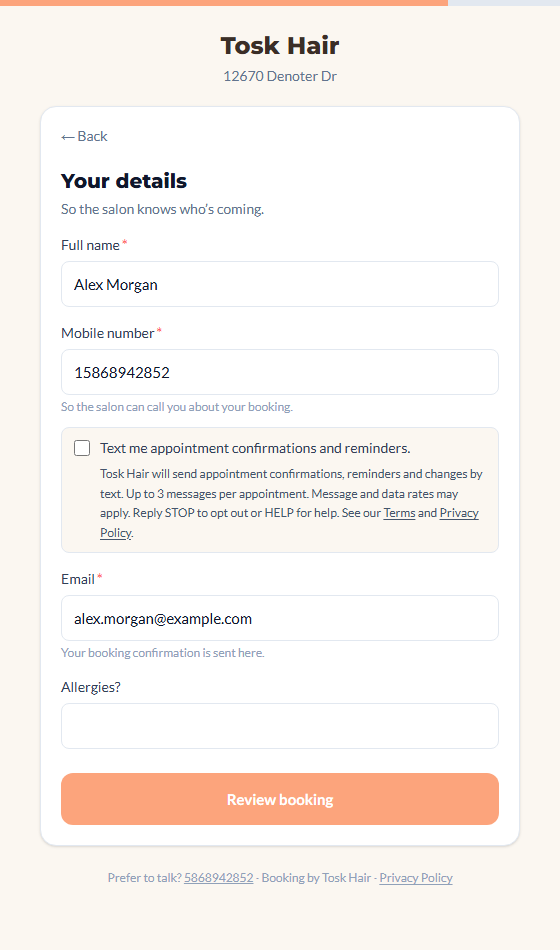
5. Step 4 — Your details, after the client ticks the boxThe same step after the client’s own deliberate action of ticking the checkbox. Nothing else on the page ticks it. 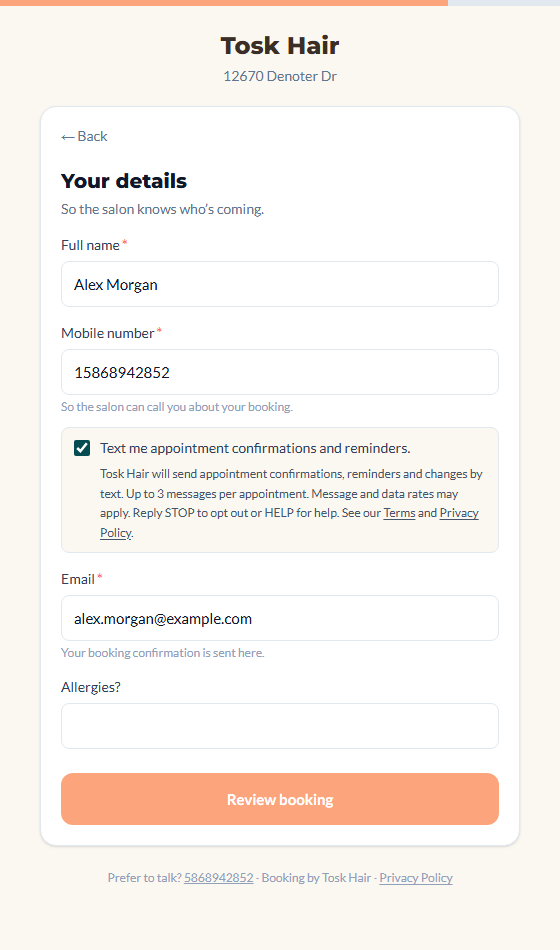
6. Step 5 — Confirm, consent givenThe confirm step for a client who ticked the box. It restates their choice: “We’ll text you confirmations and reminders at this number. Reply STOP to opt out or HELP for help.” Links to the Terms and Privacy Policy are shown on this step too. 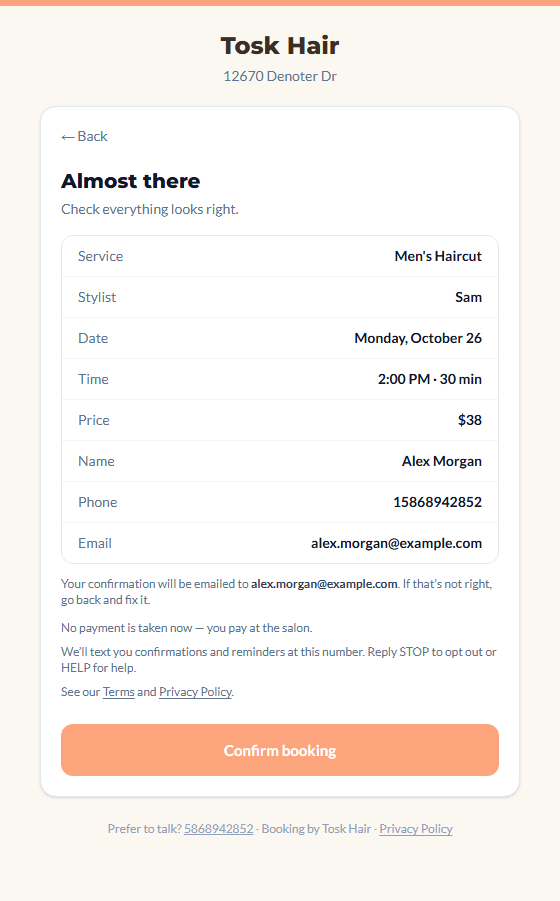
7. Step 5 — Confirm, consent not givenThe same confirm step, for the same booking, from a client who left the box unticked. The sentence about texts is absent, the Terms and Privacy Policy links are still shown, and the booking can still be confirmed. Screenshots 6 and 7 together show that the client’s choice is honored, not assumed. 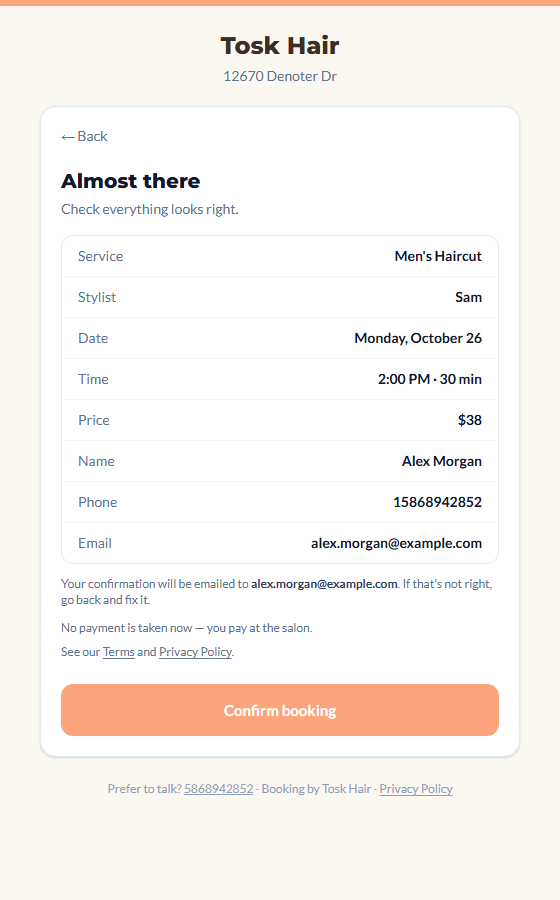
Terms and privacy
The full text message program terms are in the Terms of Service, and how phone numbers and consent are handled is in the Privacy Policy.